This update is a direct result of user requests. Almost everything here came from people telling us what they needed. That feedback loop is the best part of building Heyday — so if something's bugging you or you have an idea, keep sending it to hello@heydayfocus.com.
Here's what's new.
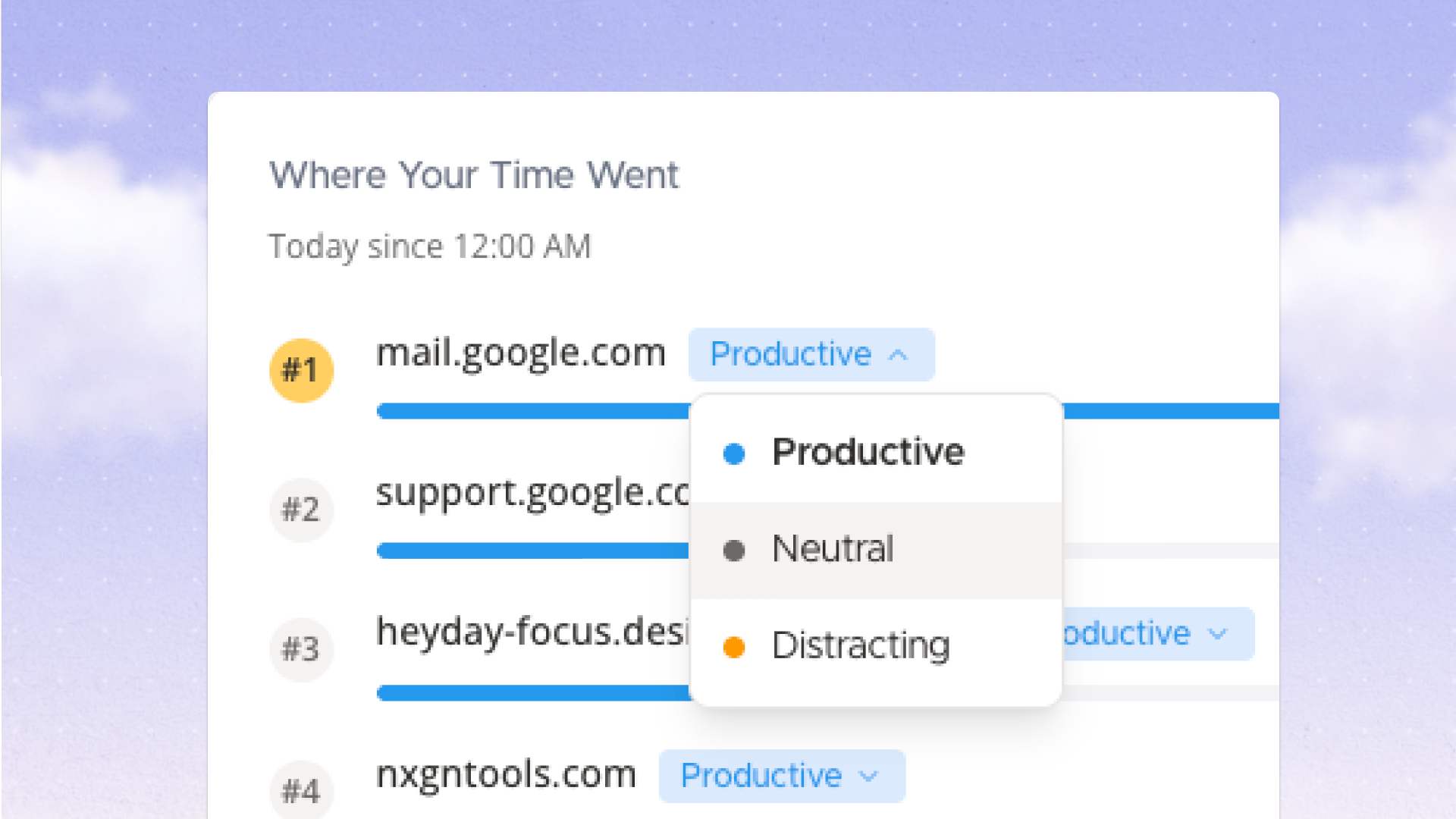
Every site in Heyday now has an editable productivity tag: Productive, Neutral, or Distracting.
The defaults follow each site's category social media sites default to Distracting, work tools default to Productive, and so on. But defaults don't know how you use the internet. Maybe Reddit is where you do research. Maybe Notion is where you procrastinate.
Now you can recategorize any site to match your actual behavior. Click the colored tag next to any site in your dashboard on the Site List card, Today card, or Most Used Sites card and change it.
Your overrides are saved per-domain and persist across sessions. The defaults stay as fallbacks for anything you haven't touched.
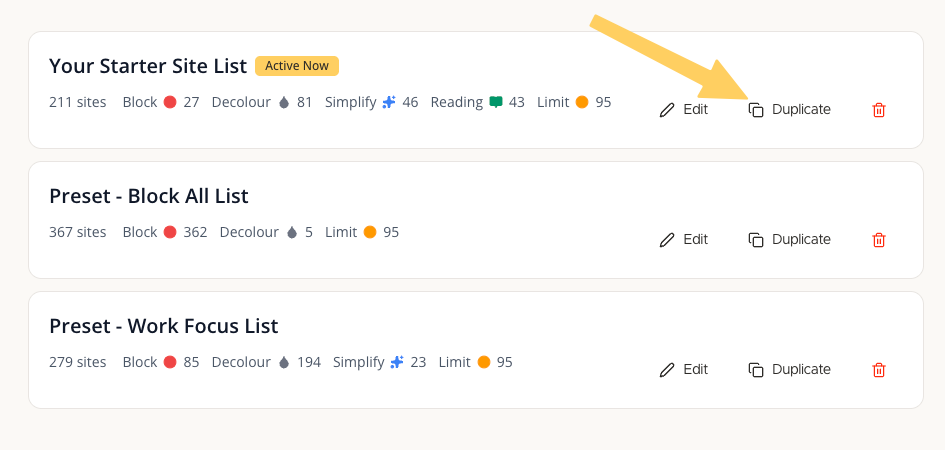
You can now clone an entire site list with one click.
Open any site list card and hit Duplicate. It copies the full list, sites and impact settings, as a starting point for a new configuration. Useful when you want variations of the same setup (weekday vs. weekend rules, or a stricter version for deep work).
Duplicated lists are always created as user lists, regardless of whether the source was a preset.
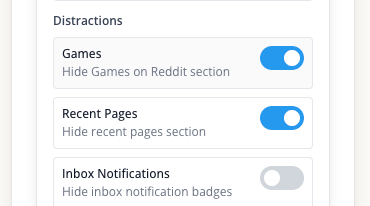
If you use Reddit Simplify, there's a new Games toggle that hides the Games sidebar section. Enable Simplify on a list containing Reddit, then toggle it in the Reddit simplify settings.
We also fixed a bug where Reddit simplify settings weren't applying correctly.
Seriously most of what you see above started as a message from someone using Heyday.
If there's something that would make this tool work better for you, we want to hear it. Here's our request form or email hello@heydayfocus.com
Take control of your online experience. Remove distractions, set boundaries, and browse with intention—on your terms.


.png)