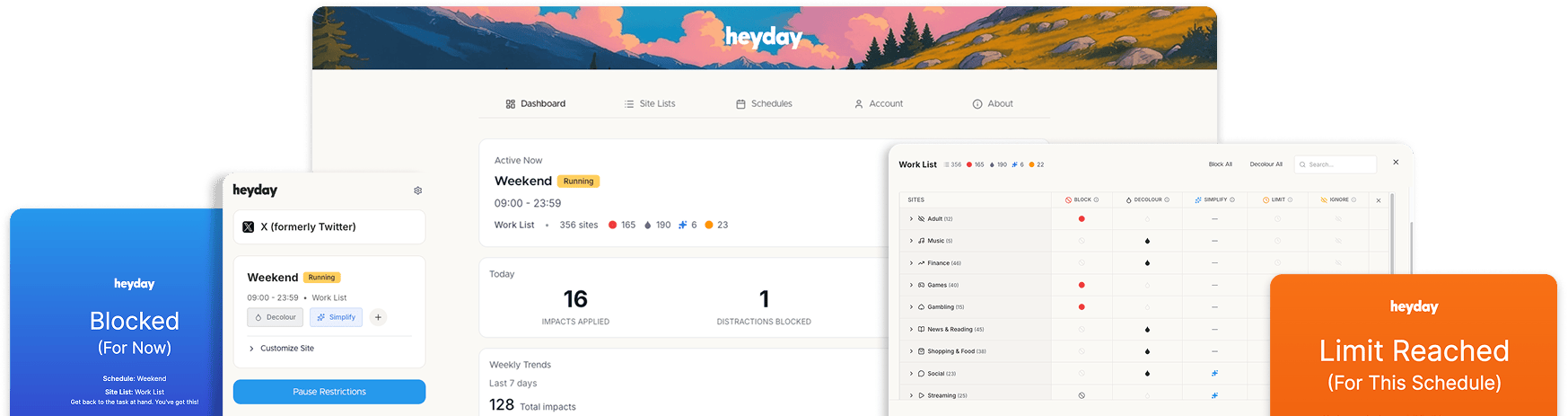





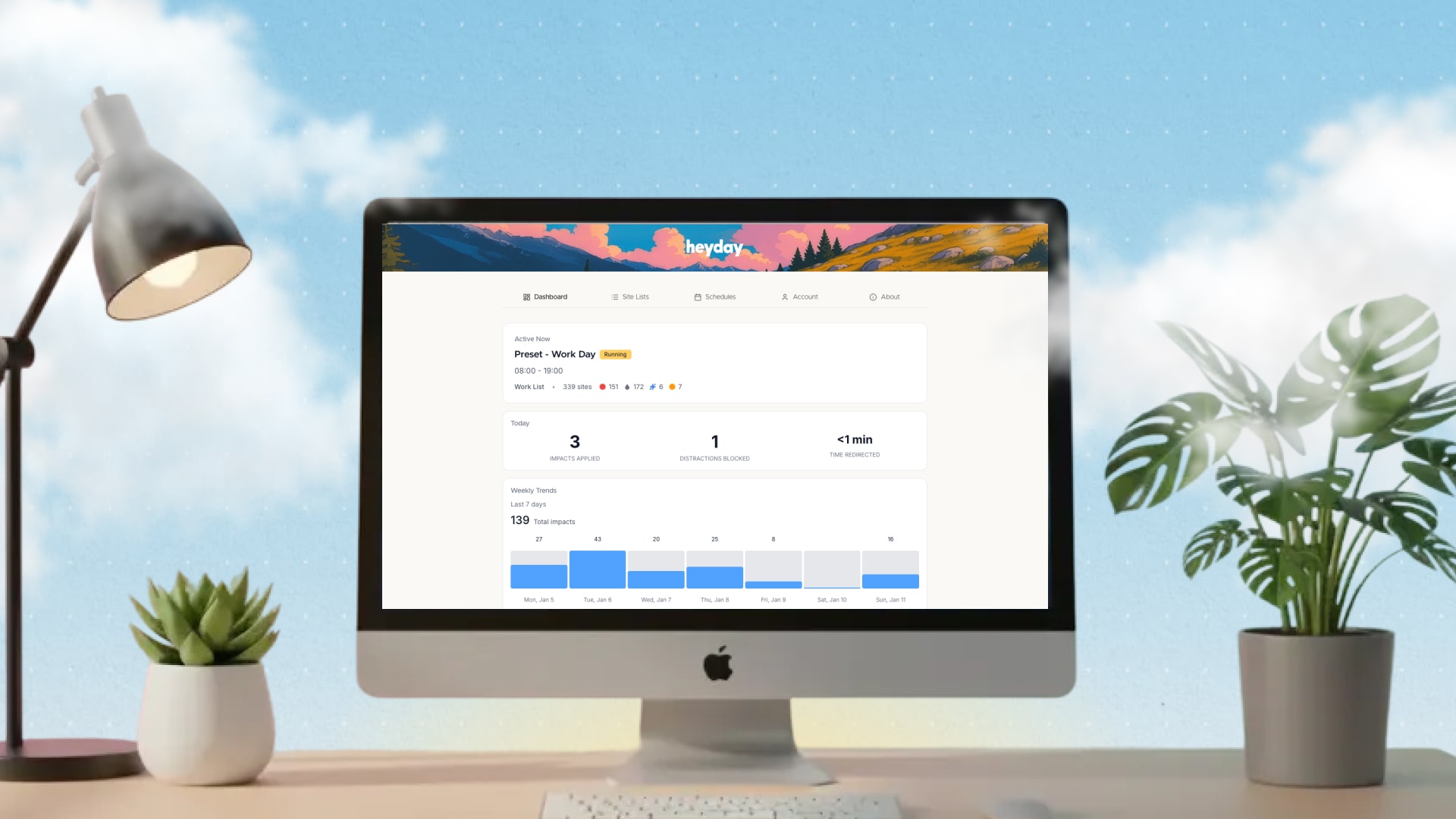



Use the pop-up in your browser bar to remove elements from social sites.
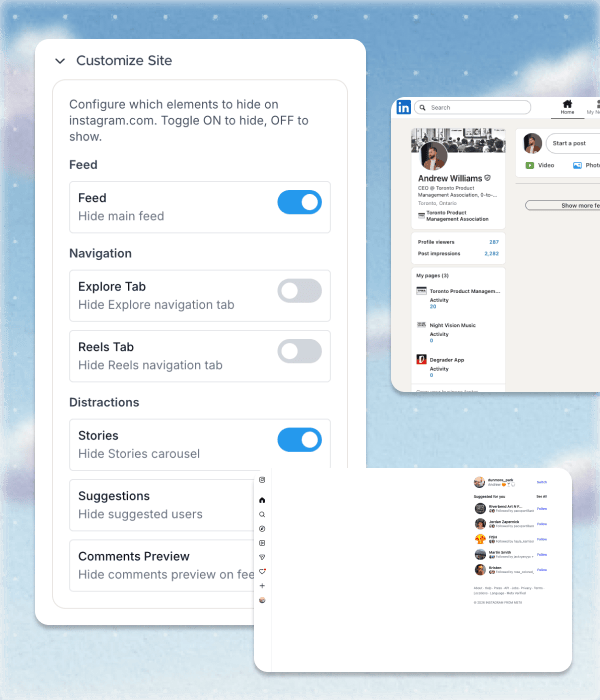
Hide feeds, shorts, and recommendations so you can browse with purpose. Quiet the noise and reclaim your attention—no more mindless refreshes.
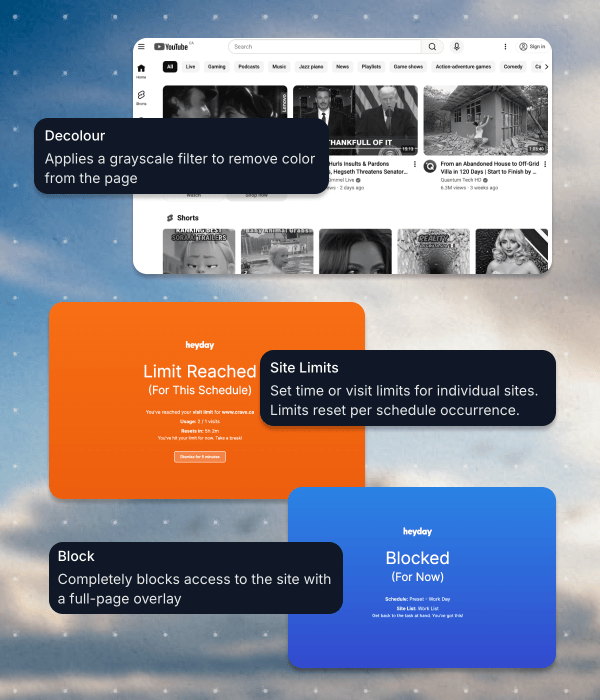
Turn sites black and white, limit the number of times you go to a site, or block them completely. Reduce visual triggers and make it easier to stay on track, one click at a time.
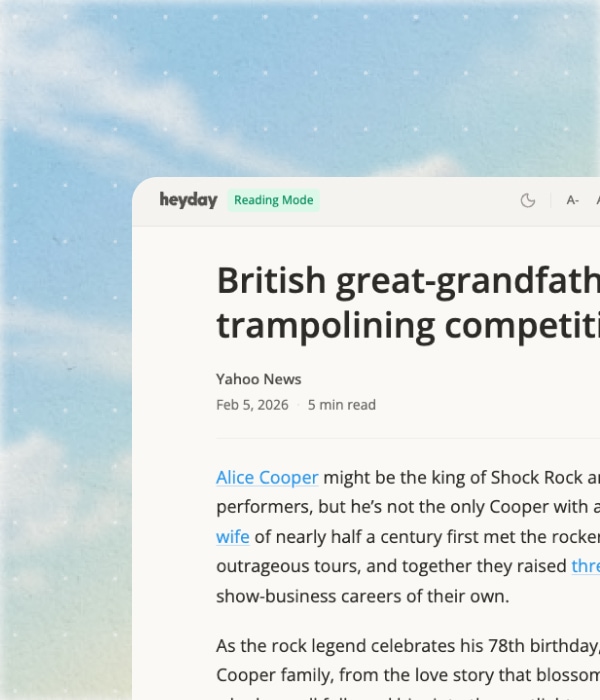
Reader Mode pulls articles into a clean, distraction-free reading view. No ads, no sidebars, and full control over when it activates.
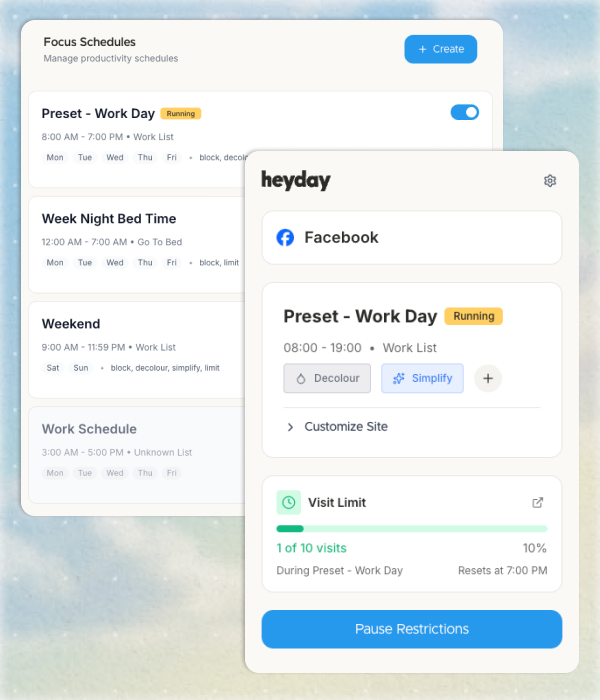
Set custom times for when sites are limited or allowed. Build routines that fit your day—work, study, or downtime, all on your terms.
What our users are saying
See how others are building healthier digital habits and reclaiming their attention—one day at a time.
"As a chronic scroller, Heyday helped! I especially liked how it changed selected sites to black and white which makes it less incentivizing to scroll instagram and mindlessly shop online."

"Big fan! I've used other blockers before, but the level of control here across time, different lists, and grayscale + simplification options make this head and shoulders above anything else I've looked at!"

"Decoloring LinkedIn made it way less fun in the best possible way. I still go to the site, but I don’t stay there or click around nearly as much. It was surprisingly powerful and really illuminating for me."
![[interface] screenshot of an ai-driven healthcare application](https://cdn.prod.website-files.com/6978184d108d25c2b65d196b/6980f9aa2fe1c36a143399bf_1634681840451.jpeg)
"Love this extension! It really helps me stay focused and stop wasting time. Clean design, easy to use, and it actually works."
![[background image] image of local landscape (for a bed & breakfast)](https://cdn.prod.website-files.com/6978184d108d25c2b65d196b/6980fb2e58137fb0525e11b5_unnamed%20(1).png)
Discover flexible tools to reduce distractions, reclaim your focus, and browse with intention—on your terms.
Remove endless scrolling, shorts, and recommendations for a calmer, more intentional web experience.
Choose which sites to manage, group them into lists, and decide exactly how each one behaves.
Users report up to 3x more focused time online after customizing their browsing with flexible impacts.
Browse and manage over 400 pre-categorized sites, or add your own to create distraction-free routines.
Apply impacts only when you need them: work hours, study sessions, or downtime. Stay in control, always.
Take control of your online experience. Remove distractions, set boundaries, and browse with intention—on your terms.


![[digital project] image of a past client project (for a consulting firm)](https://cdn.prod.website-files.com/6978184d108d25c2b65d196b/6978184d108d25c2b65d1a31_Simplify%20Card.jpg)
![[interface] image of software security protocols (for a ai fintech company)](https://cdn.prod.website-files.com/6978184d108d25c2b65d196b/6978184d108d25c2b65d1a30_Schedules%20Small%20card.jpg)
.png)